One classroom
Let a teacher test the clock or countdown during independent reading or a written activity. Ask whether students can see it clearly and whether it fits the room's routine.
MinuFlow for schools
A simple shared display can support reading time, independent work, and classroom transitions. Try the Classroom clock, countdown, or focus session you run from your computer in one room, then tell us what your school or district would need for wider use.
Students don't need accounts to view the teacher's shared screen.
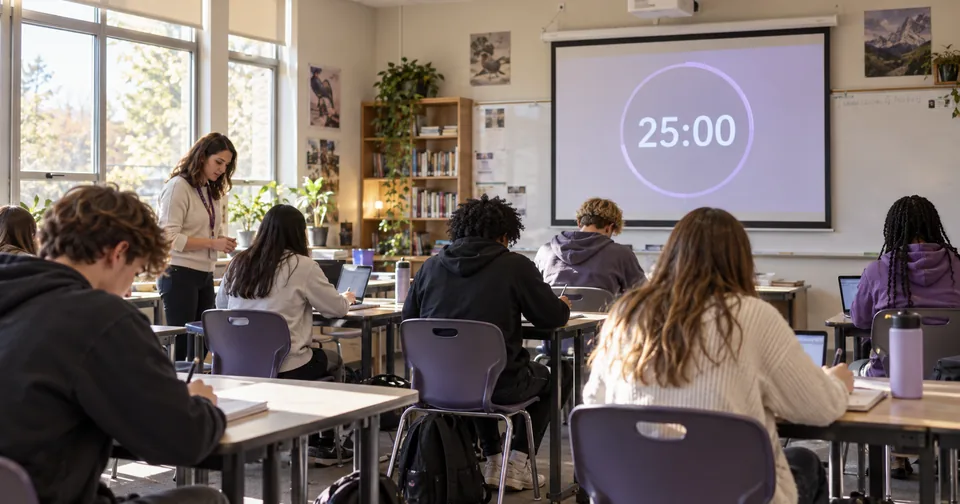
Start with the product that exists
MinuFlow is a browser-based focus tool, not a school management platform. A teacher can open Classroom view on a connected computer and show a large clock or countdown to the room. This is useful for a single classroom, a library, or a study-support space that needs a simple visual time reference.
If your school wants broader access, we would first discuss devices, accessibility, privacy review, support, and how many rooms are involved.
Where a shared display can help
Let a teacher test the clock or countdown during independent reading or a written activity. Ask whether students can see it clearly and whether it fits the room's routine.
Put a simple clock or countdown on a shared screen while visitors work independently. Keep local rules and supervision with the people running the space.
Try a common time cue for a small group, then gather feedback from staff about accessibility, device compatibility, and actual usefulness before planning wider access.
A sensible evaluation path
Open Classroom view on the same browser and display a teacher would use. Choose the clock, countdown, or focus session and test visibility from the back of the room.
Up to 10 teachers at your school get MinuFlow Premium free for one semester. There is no cost, no contract and no card. When the pilot ends, teachers keep the free plan, and nothing is ever billed automatically. We ask for two short check-ins: one halfway through and one at the end. Each takes about 15 minutes, by video call or a short form. We are starting with a small number of schools this school year, so we can support each one well.
When you contact us, share your role, the type of room or program, approximate number of displays, devices, and the outcome you hope to improve. We can then discuss what is possible.
Questions for school teams
No. Students don't need accounts. A teacher opens and operates the shared display; the current product does not provide class rosters or attendance tracking.
Yes. The current Classroom view can be opened in a browser for a local evaluation. Test the clock, countdown, or Pomodoro timer on your actual projector or board and follow your school's website and device policies.
Not yet. The classroom timer is free, and schools can start with a free one-semester Premium pilot for up to 10 teachers. We will set school pricing based on what we learn from these pilots.
The shared display does not need student names or a roster. The website itself still uses basic site analytics described in our Privacy Policy. Schools should review that policy and their own requirements before wider use.
No school sign-in or learning-management integration is currently offered. If those are requirements for your setting, include them in your inquiry so we can answer accurately.
School inquiry
Use this school-specific form for a classroom evaluation or Premium pilot inquiry. We will review the setting and reply by email.
A conversation about fit
Share the type of school space, devices, and what a useful trial would need to show.