Posted on — Leave a comment

ADHD Task Paralysis: How to Start When the First Step Feels Too Big

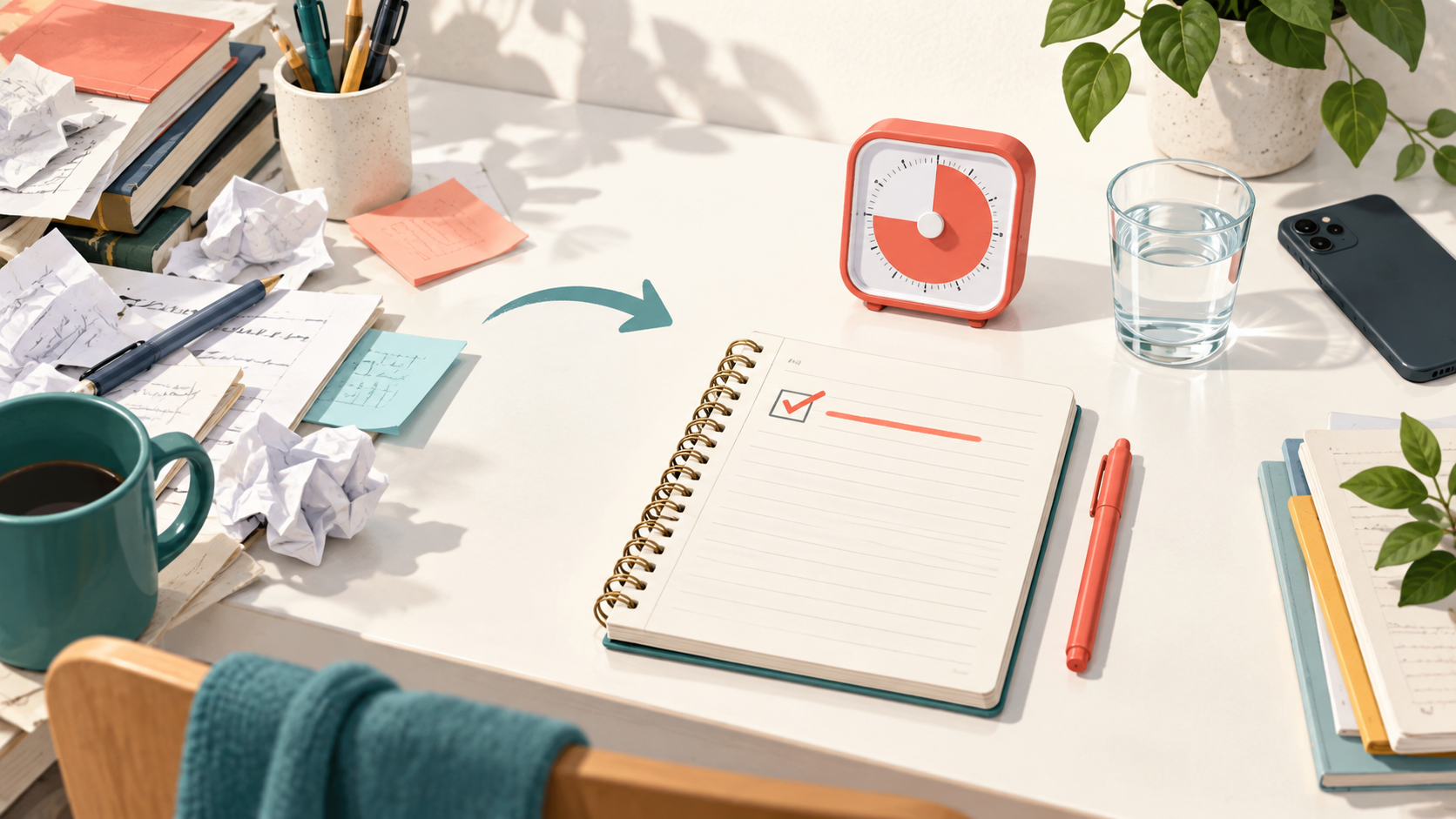
A person clearing a crowded desk to begin with one open notebook

Quick answer

“ADHD task paralysis” is an informal phrase for feeling unable to begin or choose a next step even when a task matters. Make the task smaller, remove one decision, define a visible first action, and use a short starting boundary. The goal is not to force perfect focus; it is to make contact with the work.

You can know exactly what needs to be done and still feel unable to start. The document is open. The deadline is real. You may even want the result. Yet the distance between thinking about the task and touching it can feel enormous.

People often call this experience task paralysis. It is not a formal diagnosis, and it is not unique to ADHD. Stress, anxiety, low mood, sleep loss, uncertainty, pain, and other factors can also affect starting. But difficulties with organization, sustained attention, and managing everyday demands can be part of adult ADHD, according to the Centers for Disease Control and Prevention.

This guide offers general educational strategies. It does not diagnose ADHD or replace care from a qualified professional.

Why the first step can feel bigger than the task

“Write the report” sounds like one action, but it may quietly contain dozens of decisions: find the file, choose a structure, remember the requirements, decide what is good enough, locate sources, and tolerate the possibility of getting something wrong. When those decisions arrive at once, avoidance can become a short-term way to reduce discomfort.

The answer is not always more motivation. Often, it is less ambiguity.

A six-minute starting reset

1. Name the stuck point without judging it

Replace “I am being lazy” with an observable sentence:

  • I do not know which source to open first.
  • The assignment feels too large to hold in mind.
  • I am worried the first version will be bad.
  • I have too many tabs and cannot see the task.

A specific obstacle gives you something you can change. A judgment does not.

2. Create a doorway action

A doorway action is smaller than a goal. It brings you into direct contact with the work without demanding that you finish it.

  • Open the instructions and highlight the first requirement.
  • Write three rough headings.
  • Answer only question one.
  • Place the materials for the task on the desk.
  • Write one deliberately imperfect sentence.

If the action still feels heavy, make it more physical and more visible. “Work on the presentation” can become “open the slide file and type the working title.”

3. Remove one decision

Choose the environment, sound, document, and session length before you begin. Do not ask yourself to redesign your entire system. Remove the single decision that is currently blocking movement.

You might close unrelated tabs, put the phone across the room, choose one familiar sound, or write the next action on a card. The useful change is the one that reduces friction now.

4. Start a very small timer

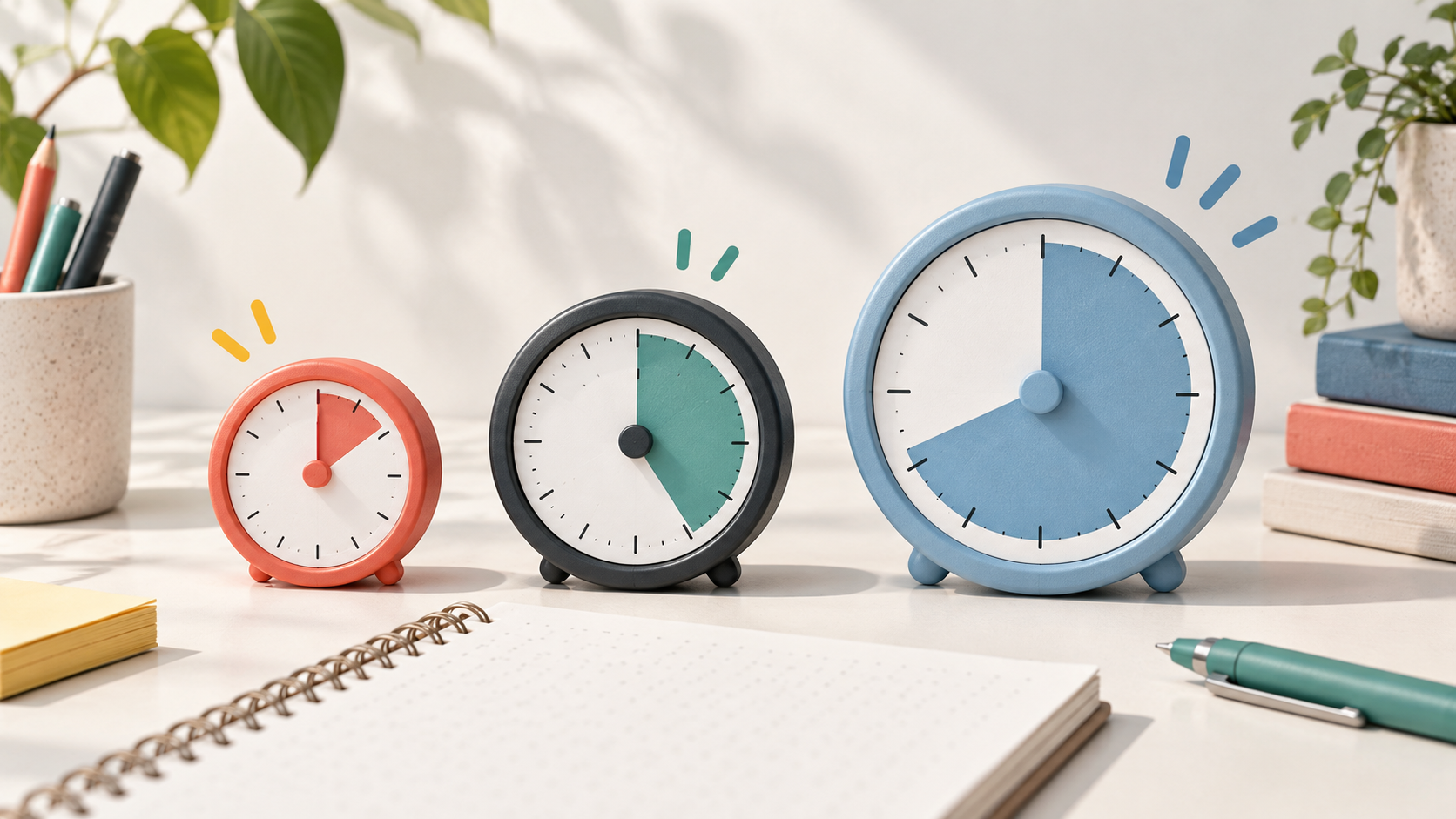
Use five, ten, or fifteen minutes as an entry boundary. You are not promising to finish. You are agreeing to stay with the doorway action until the timer ends.

A short interval can make the cost of starting feel more knowable. When it ends, choose deliberately: continue, take a break, or make the task smaller again.

5. Leave evidence for your future self

Before stopping, write one return cue:

  • Next: compare the first two sources.
  • Next: solve problem four.
  • Next: add one example to the second section.

This reduces the number of decisions waiting for you when you return.

What to do when the reset does not work

Sometimes the task is still too emotionally loaded, physically demanding, or unclear for a timer to help. That is information, not failure. Consider a different form of support:

  • Ask a teacher, manager, or collaborator to clarify the finish line.
  • Work near another person or try body doubling.
  • Move the task to a time of day when you have more energy.
  • Use accessibility, tutoring, counseling, or workplace support when available.
  • Discuss persistent difficulties with a qualified health professional.

Use MinuFlow as a doorway, not a score

Open MinuFlow’s Focus space, place one doorway action in Tasks & Notes, and choose the shortest interval that feels honest today. The timer should create a boundary around the beginning—not become another test you can fail.

You can also use the broader gentle ADHD study routine when you need help shaping the whole session.

Frequently asked questions

Is task paralysis an official ADHD symptom?

No. “Task paralysis” is informal language, not a diagnostic term. It may describe experiences related to task initiation, organization, overwhelm, or avoidance, but only a qualified professional can evaluate ADHD.

Should I always push through once I start?

No. A short start can reveal that the task needs clarification, rest, help, or a different plan. Continuing is one possible choice, not the measure of whether the reset worked.

What is the smallest useful first step?

Choose an action another person could see you complete: open, place, circle, list, read, or write. If it still feels vague, reduce it again.

Last reviewed for source accuracy: October 2026. This article is for general education and does not provide diagnosis or medical advice.


Sources and further reading

Posted on — Leave a comment

Body Doubling for ADHD: What It Is and How to Try It

Two adults working quietly at separate desks in a warm library at dusk

Quick answer

Body doubling means doing a task while another person is present and working or quietly keeping you company. The shared presence may make starting, staying with the task, and noticing time easier. Keep the session low-pressure: agree on the task, choose a length, work independently, and check in briefly at the end.

Some tasks become easier when another person is nearby—even if they never touch your work. You may write while a friend studies, answer email while a coworker handles their own list, or tidy a room while someone quietly reads.

This practice is commonly called body doubling. It has become especially popular in ADHD communities. It is not a formal treatment by itself, and direct research on the method remains limited. Still, clinicians describe it as a practical form of external structure that some people find useful. The Cleveland Clinic explains body doubling as completing a task in the presence of another person who serves as an anchor for focus and accountability.

This article is educational and does not diagnose or treat ADHD.

What a body double actually does

A body double is not a supervisor. They do not need to monitor every minute, give advice, or make sure you are “productive enough.” Their presence can simply create a clear beginning and a shared working atmosphere.

That presence may help by:

  • turning a private intention into a visible start;
  • reducing the number of moments when you must decide whether to continue;
  • providing a social cue that this is work time;
  • making time feel more structured;
  • offering a gentle return point after distraction.

Not everyone focuses better around other people. The useful question is not whether body doubling “should” work. It is whether a particular person, place, and level of interaction make the task easier for you.

How to try a low-pressure body-doubling session

1. Choose the right kind of presence

Your body double might be a friend, classmate, coworker, family member, tutor, or online study partner. Choose someone whose presence feels steady rather than evaluative.

You can also work in a library or quiet café where other people are doing their own tasks. That is not a formal agreement, but the shared working context may offer a similar cue.

2. State one concrete target

At the beginning, each person says what they intend to work on. Keep it observable:

  • draft the opening paragraph;
  • sort the papers on one shelf;
  • complete questions one through five;
  • send the two replies already outlined.

This is a boundary, not a promise that everything will go perfectly.

3. Agree on the amount of interaction

Decide whether you will keep cameras on, mute audio, allow questions, or work silently. Some people need visible company. Others find constant conversation distracting.

A simple script is enough: “Let’s work quietly for 25 minutes, then check in for two minutes.”

4. Use a shared stopping point

Choose a short session first—perhaps 20, 25, or 45 minutes. A visible timer can reduce the need to wonder how long the session will last. If one person needs to stop early, say so without turning it into a failure.

5. End with facts, not evaluation

At the end, each person can answer:

  • What moved forward?
  • What is the next visible step?
  • Do we want another round?

Avoid comparing output. Different tasks and brains move at different speeds.

Online body doubling and privacy

Online sessions can be useful when travel, schedules, or energy make in-person work difficult. Protect your privacy: do not display confidential documents, private messages, student information, client data, or personal addresses on camera. Use a neutral background and share only what the session requires.

If a community or service introduces fees, recording, public rooms, or unfamiliar participants, review its privacy and safety practices before joining.

When body doubling becomes distracting

Change the structure if you notice frequent conversation, self-consciousness, comparison, or pressure to perform. Try:

  • a quieter partner;
  • audio off and camera optional;
  • a shorter check-in;
  • working in the same place without sharing goals;
  • using a timer alone instead.

Support should reduce friction, not add another audience you must please.

Pair body doubling with a visible focus boundary

Open MinuFlow on your own screen, select a manageable interval, and keep your target in Tasks & Notes. Your partner can use the same timing or a different one. The shared agreement matters more than perfectly synchronized timers.

If starting is the hardest part, combine the session with the task-paralysis reset: name the obstacle, choose one doorway action, and begin together.

Frequently asked questions

Does the body double need to have ADHD?

No. The person needs to understand the agreement and provide a calm, nonjudgmental presence. Shared experience may help some people feel understood, but it is not required.

Do we have to work on the same task?

No. Most body-doubling sessions involve two people working independently. The common element is the shared time and presence.

Is body doubling an ADHD treatment?

It is better understood as a practical support strategy. Evidence directly testing body doubling is limited, and it should not replace professional assessment or an established treatment plan.

Last reviewed for source accuracy: October 2026. This article is for general education and does not provide diagnosis or medical advice.

Sources and further reading

Posted on — Leave a comment

A Low-Pressure Study Plan for the Week Before an Exam

A calm exam-week study desk with a weekly plan, books, a timer, water, and plants

Quick answer

With one week left, divide the material into small groups and practice bringing information to mind instead of only rereading it. Review difficult topics again on later days, use short timed sessions, and make the final evening lighter. Protect sleep. The goal is a workable sequence you can repeat, not seven days of maximum intensity.

Seven-day overview: map → retrieve → revisit → mix → practice → repair → lighten.

First, reduce the number of decisions

The week before an exam can feel like one large unfinished task. Turn it into a short list you can see.

On one page, write:

  • the topics the exam covers;
  • the question types you expect;
  • the topics you can explain without notes;
  • the topics that still break down; and
  • any fixed commitments during the week.

Do not build a minute-by-minute schedule. Choose one or two useful outcomes for each day and leave space for correction.

Why retrieval and spacing belong in the plan

Retrieval practice means trying to bring information to mind before looking at the answer. Examples include answering a practice question, explaining a concept from memory, or writing the steps of a process on blank paper.

A broad research literature supports retrieval practice for later learning. A classroom meta-analysis and a systematic review in health-professions education found benefits from practice testing, distributed practice, retrieval practice, or combinations of them across varied settings. The studies differed in design and setting, so the finding is a principle to adapt rather than a guaranteed score increase.

Use rereading to repair a gap after you find it. Do not make rereading the only way you study.

A calm seven-day plan

Day 7 — map the exam

Collect the syllabus, study guide, practice questions and your notes. Make the one-page topic list. Then do a short closed-notes check:

  • What can I already explain?
  • What do I recognize but cannot produce?
  • What is still unfamiliar?

Mark only three priority areas. A complete inventory is more useful than an ambitious first day.

Day 6 — retrieve the first priority

Choose the first priority area and answer questions without notes. If no practice questions exist, turn headings into prompts.

For example:

Instead of rereading “Stages of mitosis,” close the page and write the stages in order with one event from each stage.

Check your answer, correct it, and save the missed part for another day.

Day 5 — retrieve the second priority and revisit the first

Begin with a brief return to yesterday’s difficult points. Then move to the second priority area.

This creates spacing: the first topic reappears after time has passed rather than staying in one long block.

Day 4 — mix question types

Practice several topics in one session. Mix definitions, worked problems, comparisons and short explanations where the exam requires them.

Keep a small error log with two columns:

Example error log for the next study session
I missed Next action
Chose the wrong formula Do two problems that require choosing the formula
Forgot the second cause Explain all three causes without notes tomorrow

The log is a map for the next session, not a record of failure.

Day 3 — practice under light constraints

Try a short set with the notes closed and a reasonable time limit. Use conditions similar to the exam where practical, but keep the set small enough to review carefully.

Afterward, sort mistakes into:

  • knowledge gap;
  • misunderstood question;
  • rushed step; or
  • correct idea, incomplete answer.

Repair the cause rather than repeating the whole chapter.

Day 2 — revisit the error log

Attempt the missed items again before reading the corrections. Explain the hardest two topics aloud or on blank paper.

If a topic still does not make sense after focused review, ask a teacher, classmate or tutor a specific question. “Can you show me why step three uses this formula?” is easier to answer than “I do not understand the unit.”

Day 1 — lighten the load

Use a short final check for the highest-value material. Pack what you need, confirm the exam time and location, and stop adding new resources late in the evening.

CDC student guidance notes that insufficient sleep can make concentrating harder, while sufficient sleep supports attention and readiness to learn. A late cramming session that removes sleep can work against the task you are preparing for.

The final evening is for orientation and confidence, not rebuilding the entire course.

Choose a session length that keeps you returning

Use a session you can complete honestly. A 15/5 or 25/5 rhythm can lower the barrier to starting. A 52/17 or 90/20 rhythm may suit work that already has momentum. These are adjustable starting points, not performance formulas.

The focus-rhythm comparison can help you choose. If you are stuck before the first session, use the 20-minute study reset or try five small changes when studying keeps losing the thread.

If the plan slips

Do not compress three missed days into one punishing schedule. Restart with this order:

  1. Identify the highest-value topics.
  2. Retrieve before rereading.
  3. Review errors.
  4. Protect the final sleep window.

Even one specific practice set is more useful than spending the remaining time redesigning the plan.

Begin with ten minutes

Write the topic list and attempt one short memory check today. You can open the MinuFlow focus space and choose a session that feels small enough to begin.

At the end, write the next question you will answer tomorrow. That single line makes the return easier.

Sources and notes

  • McDermott, “Practicing Retrieval Facilitates Learning,” Annual Review of Psychology (2021): PubMed record.
  • Trumble et al., “Systematic review of distributed practice and retrieval practice in health professions education,” Advances in Health Sciences Education (2024): PubMed record.
  • Binks, “Testing enhances learning: A review of the literature,” Journal of Professional Nursing (2018): PubMed record.
  • Yang et al., “Testing (quizzing) boosts classroom learning: A systematic and meta-analytic review,” Psychological Bulletin (2021): PubMed record.
  • Centers for Disease Control and Prevention, “Sleep,” Youth Health in Focus (2026): CDC guidance.
  • Editorial boundary: this is a general study-planning guide. It does not guarantee an academic result and does not replace accommodations, instruction or professional support.
Posted on — Leave a comment

Brown Noise, Rain, or Silence: What Should You Study With?

An open notebook beside a rain-covered window, with a small black speaker surrounded by soft rings of light.

Quick answer

There is no single best background sound for studying. Silence is a useful baseline, especially for reading and other language-heavy work. Soft rain or steady noise may mask unpredictable sounds, while music with lyrics can compete with language-heavy tasks. Keep the volume low and compare the same task across a few short sessions before deciding what helps you.

Start with the task, not the trend

A sound can feel calming without improving the work in front of you. The useful question is not “Which sound is best?” It is:

Which condition helps me complete this specific task with fewer rereads and fewer urges to switch?

Reading a dense chapter, solving practice problems, organizing notes and doing repetitive formatting do not place the same demands on attention. Choose the task first, then test the sound.

When silence is the clearest baseline

Silence removes one source of competition. It is a sensible starting point for:

  • close reading;
  • writing that depends on precise wording;
  • memorizing verbal material; and
  • learning something that already feels difficult.

A meta-analysis of 65 studies found that background noise, speech and music had small but reliable average costs for reading performance. Intelligible speech and music with lyrics were among the more disruptive conditions. The average result does not predict every person’s experience, but it makes silence a useful comparison rather than an empty option.

If your room is already quiet, adding sound may not solve a problem. Try the task in silence before assuming a sound layer is necessary.

When rain or nature sounds may feel easier

Rain and nature sounds can cover sudden hallway noise, traffic changes or nearby conversation without adding words. One controlled study found a cognitive-performance advantage for nature sounds over urban sounds on the task it tested. That result does not show that rain improves every kind of studying.

Use a nature sound as a mask, not a promise. It may be worth trying when the real distraction is an unpredictable environment.

Keep the sound quieter than the material you are working with. If you notice that you are listening to the scene instead of reading, turn it down or return to silence.

What brown, pink and white noise can and cannot claim

Noise colors describe how sound energy is distributed across frequencies. Brown noise emphasizes lower frequencies and sounds deeper than white noise. Pink noise sits between them.

Online claims often present brown noise as a proven concentration tool. The evidence is narrower. A 2024 meta-analysis found a small task-performance benefit from white or pink noise in studies of children and college-age participants with ADHD or elevated attention symptoms. In comparison groups without ADHD, white or pink noise had a small negative effect. The review found no eligible brown-noise studies.

This does not mean that a diagnosis determines what you should play. It means the research does not support a universal “brown noise improves focus” claim. Treat steady noise as a personal environment setting and compare it with silence.

Where music fits

Instrumental music may feel easier than music with lyrics during language-heavy work, but the broader evidence on music, noise, attention and arousal is mixed. Familiarity, volume, tempo, preference and task difficulty can all change the experience.

Try music for routine work before using it for new or difficult reading. If you keep losing your place, singing along, or rereading the same sentence, the sound is competing with the task.

Run a three-session sound test

Use the same kind of task and the same session length on three occasions:

  1. Session one — silence: Work for 15 or 25 minutes with no added sound.
  2. Session two — steady sound: Try quiet rain, brown noise or another nonverbal sound.
  3. Session three — your preferred condition: Repeat the condition that felt easier, or compare it with low instrumental music.

After each session, record only three things:

  • What did I finish?
  • How often did I have to reread or restart?
  • Did the sound fade into the background or keep asking for attention?

Do not judge a condition from mood alone. A sound can be pleasant and still make a verbal task harder.

If starting is the main problem, combine the test with the 20-minute study reset. If the session length is the problem, compare the adjustable 15/5, 25/5, 52/17, and 90/20 rhythms.

Keep the volume safe and the claim modest

The goal is a comfortable background, not maximum masking. The National Institute on Deafness and Other Communication Disorders explains that repeated or long exposure to sounds at or above 85 dBA can cause hearing loss. Avoid raising the volume to overpower a loud environment. If sound causes discomfort, ringing, headaches or difficulty hearing what is around you, stop and change the environment.

This guide is educational and is not medical advice or a treatment for attention difficulties. The gentle ADHD study routine uses the same principle: reduce one source of friction and keep the next action visible, without promising a clinical outcome.

Try one small comparison

Choose one real task and one short session. Begin in silence, then try a quiet nonverbal sound on the next comparable task. You can open the MinuFlow focus space and use the same timer length for both conditions.

Keep the condition that made the work easier to continue. You do not need a universal winner.

Sources and notes

  • Vasilev et al., “Auditory Distraction During Reading: A Bayesian Meta-Analysis of a Continuing Controversy,” Perspectives on Psychological Science (2018): PubMed record.
  • Nigg et al., “Do White Noise or Pink Noise Help With Task Performance in Youth With Attention-Deficit/Hyperactivity Disorder or With Elevated Attention Problems?” Journal of the American Academy of Child & Adolescent Psychiatry (2024): PubMed record.
  • Van Hedger et al., “Of cricket chirps and car horns: The effect of nature sounds on cognitive performance,” Psychonomic Bulletin & Review (2019): PubMed record.
  • Chee et al., “The effects of music and auditory stimulation on autonomic arousal, cognition and attention: A systematic review,” International Journal of Psychophysiology (2024): PubMed record.
  • National Institute on Deafness and Other Communication Disorders, “Noise-Induced Hearing Loss”: NIDCD guidance.
  • Editorial boundary: the article describes a low-risk personal comparison. It does not claim that a sound improves attention for everyone or replaces professional evaluation or care.
Posted on — Leave a comment

Can’t Focus While Studying? 5 Small Changes to Try

A student writing in a quiet evening library beside a laptop displaying a 15-minute focus timer.

Quick answer

If you cannot stay focused while studying, change one part of the session instead of rebuilding your whole routine. Make the next action visible, remove one likely distraction, choose a shorter work period, use an active study action, and leave a return cue whenever your attention moves. Test one change at a time so you can tell what actually helps.

First, separate starting from staying focused

“I can’t focus” can describe two different problems. You may be unable to begin, or you may begin and then lose the thread every few minutes.

This guide is for the second problem: you are already at the desk, but attention keeps moving away from the work. If getting started is the harder part, begin with the 20-minute study reset instead.

1. Turn the subject into one visible action

“Study chemistry” leaves too many decisions open. Choose an action you can see yourself completing:

  • answer questions 1–3 without notes;
  • summarize one section in four sentences;
  • check the examples on one page;
  • make five flashcards from today’s lecture.

Keep the action where you can see it. A small paper note or a single task in MinuFlow is enough. When attention drifts, the note should tell you what to return to without another planning session.

2. Remove one predictable distraction

You do not need a perfectly silent room. Start with the distraction that most often changes what you are doing.

That might mean placing your phone out of reach, closing one unrelated tab, silencing one group chat, or moving a second book off the desk. Keep anything needed for safety, accessibility, family responsibilities, or school communication available.

Research on phones and learning does not support one dramatic rule for everyone. A two-year study of 470 university students by Bjerre-Nielsen et al. (2020) found that the estimated relationship between in-class phone use and grades became much smaller after stable differences between students and courses were considered. Treat your setup as a personal experiment rather than proof that one device is the cause of every focus problem.

If unpredictable sound is the main distraction, compare silence, rain, steady noise, and music with the same kind of task rather than assuming one sound is best.

3. Shorten the session before you abandon it

If 25 minutes feels difficult today, try 15. A shorter session is still a real session.

Choose a length you can honestly protect, then stop and reassess. You can compare 15/5, 25/5, 52/17, and 90/20 focus rhythms, but these patterns are starting points rather than performance rules. MinuFlow also includes a 15/5 Short Focus option for days when beginning with less feels more realistic.

4. Give your attention something active to do

Reading the same paragraph repeatedly can make it hard to notice whether you are learning. Change the action while keeping the same subject.

Try one of these:

  • close the book and write what you remember;
  • turn the heading into a question;
  • explain the idea in plain language;
  • solve one example before checking the answer;
  • mark the exact sentence you do not understand.

The aim is not to add more work. It is to make the next useful action easier to recognize.

5. Leave a return cue when attention moves

Attention will move sometimes. Before opening another tab or stepping away, write the smallest action that will restart the study task:

Next: finish the diagram labels, starting with the mitochondrion.

When you return, do that action before deciding what else to study. If you are taking a break, pair the cue with one of these screen-free break ideas.

A simple example

A student begins a history chapter but keeps checking messages. They write “summarize pages 12–14,” place the phone across the room, and select a 15-minute session. When the timer ends, they leave “Next: compare the two causes in the margin” and take a short break. The plan stays small enough to repeat or adjust.

What the evidence can and cannot tell us

A controlled experiment with 117 medical students by Storck et al. found that a concurrent distraction increased cognitive load and reduced learning from a training video. The setting, task, and participants were specific, so the result does not prove that every sound, device, or interruption affects every student in the same way.

The practical steps above are low-risk adjustments to test. They are not a treatment for an attention disorder and do not promise a particular grade or productivity result.

Try one change in your next session

Choose only one of the five changes. Write one visible action, then open the MinuFlow focus space and use the shortest session that feels workable today.

After the session, ask one question: Was it easier to return to the task? Keep the change if it helped. Adjust it if it did not.

If the next challenge is planning several days rather than one session, use the low-pressure seven-day exam plan to map, retrieve, revisit, practice, and lighten the final evening.

Sources and notes

  • Storck et al., “Learning and distraction: Evidence for cognitive load interference in medical education” (2026; published online in 2025): PubMed record.
  • Bjerre-Nielsen et al., “The Negative Effect of Smartphone Use on Academic Performance May Be Overestimated: Evidence From a 2-Year Panel Study” (2020): PubMed record.
  • Editorial boundary: this article provides general educational information, not medical advice or a universal study prescription.
Posted on — 1 Comment

How to Stop Switching Tasks and Focus on One Thing

Hands selecting one plum task card beside a tablet displaying a 25-minute focus timer.

Quick answer

To reduce task switching, keep one active task and place every competing thought on a short parking list. Give the active task a small finish line, check messages at a known time, and leave a one-sentence return cue before any interruption you must handle. The aim is fewer unnecessary switches and a clearer way back when switching is unavoidable.

A simple one-session plan

  1. Write one active task.
  2. Define one finish line.
  3. Start a manageable focus window.
  4. Put competing tasks on the parking list.
  5. If you must switch, leave a return cue.
  6. Finish or intentionally stop before choosing the next item.

If you are unsure how long the window should be, compare the available focus rhythms and begin with the lightest option that fits the task.

Task switching is sometimes necessary

Customers reply, children need attention, meetings begin, and urgent problems appear. Focusing on one thing does not mean pretending those responsibilities do not exist.

The useful distinction is between a switch you choose for a reason and a switch that happens because another tab, message, or idea appeared. You can reduce the second kind while planning for the first.

Task switching examples in work and study

Task switching can look small in the moment:

  • writing a report, then opening email because a notification appeared;
  • reading a chapter, then checking a phone or unrelated assignment tab;
  • preparing an invoice, then leaving it for a quick administrative task; or
  • answering one customer message, then moving into a different project without choosing to stop.

Some switches are deliberate or unavoidable. The useful target is the reflexive switch that pulls you away before a finish line. When you notice one, capture the competing task on the parking list and return to the next visible action.

Keep one active task and one parking list

Write the current task at the top of a page. Under it, keep a short list for everything else that asks for attention.

For example:

Active: Review the pricing-page introduction.

Parking list: Reply to Maya; check the invoice; save the article idea.

Adding an item to the parking list is not a promise to do it immediately. It is a way to keep the thought without turning it into a new active task.

Choose a finish line smaller than the project

“Finish the website” is too large to protect as one session. Choose a visible stopping point:

  • revise the first two sections;
  • compare three quotes;
  • answer one customer question;
  • complete problems 4–6;
  • outline the introduction.

A finish line makes it easier to decide whether a new task should interrupt the session. If it can wait until the finish line, place it on the parking list.

Check messages at a known time

If you need to stay reachable, keep one urgent route available and check routine messages after the current focus window. The specific window can be short.

The notification-focus guide shows how to separate urgent messages from routine updates without becoming unreachable. Agree on the urgent route with the people who depend on you; do not silently ignore workplace or safety expectations.

Leave a return cue before an unavoidable switch

When something genuinely cannot wait, take a few seconds to describe the next action in the task you are leaving:

Next: compare the Monthly and Annual bullet lists.

The cue should point to a physical action, not a broad goal. When the interruption ends, read the cue and do that action before opening another item from the parking list.

The same method works before a break. Save the work, write the cue, and choose a break with a clear endpoint. These screen-free break ideas include a simple return sequence.

Group small tasks instead of scattering them

Some tasks are too small for a long focus session but still create frequent switches: approvals, short replies, file moves, and status updates.

Place them on the parking list and handle a small group together at a planned time. Keep genuinely urgent or time-sensitive items separate. Batching is a scheduling option, not a rule that every message must wait.

What task-switching research means here

Laboratory research has repeatedly observed a “switch cost”: responses can become slower or less accurate immediately after people change between tasks or task rules. One influential set of experiments described goal shifting and rule activation as parts of that change. More recent experiments have also found small costs when attention switches between information held in memory and information presented on a screen.

These controlled tasks are not the same as writing a report, caring for a family member, or managing customer work. They support a modest conclusion: switching requires adjustment. They do not prove that multitasking is always harmful or that one routine will work for every job.

Try one protected finish line

Choose one task that can move forward in the next 15 or 25 minutes. Put everything else on one parking list, then open the MinuFlow focus space.

At the end, review the list and choose deliberately. The goal is not to clear every item. It is to know which task is active and how to return to it.

Sources and notes

  • Rubinstein, Meyer, and Evans, “Executive control of cognitive processes in task switching,” Journal of Experimental Psychology: Human Perception and Performance (2001): PubMed record.
  • Hautekiet et al., “Attentional switching between perception and memory: Examining asymmetrical switch costs” (2023): PubMed record.
  • Editorial boundary: the routine is a practical experiment, not a productivity guarantee or advice to ignore urgent, safety-critical, caregiving, or workplace responsibilities.
Posted on — Leave a comment

5 Screen-Free Breaks and a Simple Return Cue

A person stretching by a window while a blank note and glass of water remain beside a laptop.

Make the break feel different from the work

A work break can easily become another stream of information. You finish a focus session, pick up your phone, and return ten minutes later with several new tabs, messages, and thoughts competing for attention.

Not every break has to be screen-free. A few low-effort options can make the break feel different from the work that came before it.

Let the break stay simple

A break can stay small. Cleaning the room, completing a workout, or consuming useful content are optional rather than a second task list.

Choose something that fits the time, space, and energy you have. In a shared space, keep it quiet and practical.

Here are five ideas.

1. Stand up and change position

Stand, roll your shoulders gently, or move to another part of the room. Keep the change brief; it does not have to become a formal exercise routine.

The CDC’s Physical Activity Breaks for the Workplace guide includes short movement breaks and notes that many can be done with little or no equipment.

2. Walk a route with a clear end

Walk to the end of the hallway, around the room, or outside to a specific point and back. A route with a natural end helps keep a five-minute break from quietly becoming a much longer one.

Leave the phone behind when it is safe to do so. If you must remain reachable, keep the urgent channel available without opening unrelated apps.

3. Prepare water or a simple snack

Use the break for one ordinary physical task: refill water, make tea, or prepare a snack that already works for you. Keep it simple enough that it does not become a new project.

4. Look away from the work area

Move to a window, balcony, doorway, or another part of the room and notice what is around you. You might name three colors you see or listen for one background sound.

The aim is simply to pause your work on the same page for a few minutes.

5. Reset one small part of your space

Put away one cup, stack the papers you no longer need, or place the next book within reach. Stop after one small reset.

This works best when the action makes the next session easier to start. Reorganizing the whole desk may create more decisions than the break removes.

Leave a return cue before the break begins

A written return cue gives you a defined first action after the break. Before stepping away, put one physical action on paper:

  • “Open the draft and revise the first paragraph.”
  • “Complete questions 4 and 5.”
  • “Check the formula in column C.”
  • “Read the next two pages and underline the key definition.”

Avoid a broad note such as “finish everything.” The cue should be small enough to begin without another planning session.

A 10-minute break checklist

  1. Close the loop: Save your work and write one return cue.
  2. Choose one break: Pick a single option from the list above.
  3. Set a boundary: Use a timer or a natural endpoint, such as walking one short route.
  4. Return gently: Read the cue and do that action before checking messages.

For example, a student finishes a 25-minute reading session. Before leaving, they write, “Next: summarize the final paragraph in one sentence.” They refill their water, stand near a window for a few minutes, and return to the written cue. They do not need to remember the whole study plan before restarting.

If starting again still feels too large, use the first steps in the 20-minute study reset to make the next action smaller.

If you are still deciding how long to work and rest, compare 15/5, 25/5, 52/17, and 90/20 focus rhythms. These are adjustable starting points rather than universal rules.

Safety and evidence limits

The CDC provides examples of short workplace activity breaks, including options that can be done near a desk. These examples support keeping movement options simple and accessible; they do not prove that a screen-free activity improves focus.

These are general break ideas rather than medical, vision, mobility, nutrition, or workplace-safety advice. Adapt or skip an option to fit your needs, workplace rules, and professional guidance. The cited source does not establish one ideal break length or promise a focus or productivity result. Treat the five ideas as low-pressure options to test.

Try one break today

If notifications are what keep pulling you away, read How to Stay Focused at Work When Notifications Keep Interrupting.

Before your next session ends, write a one-line return cue. Then choose one screen-free break from the list.

When you are ready, open the MinuFlow focus space and begin with the action you left for yourself.

Sources and notes

  • Centers for Disease Control and Prevention, “Physical Activity Breaks for the Workplace: Resource Guide” (May 2021): official PDF.
Posted on — Leave a comment

How to Stay Focused at Work When Notifications Keep Interrupting

A focused home-office desk with a phone face down and a blank note beside an open laptop.

Why every alert can feel urgent

Notifications are useful. They tell us when a customer needs help, a coworker is blocked, or a meeting has changed. The difficulty begins when every alert asks for the same immediate reaction.

Keep essential communication available while handling routine alerts at deliberate times.

Separate urgent messages from routine messages

Start by asking a practical question: Which messages really cannot wait until the end of one focus session?

For many people, the answer is a specific phone line, team channel, or person. Email updates, project comments, and general chat may still matter, but they may not need to appear the moment they arrive.

Try three simple groups:

  • Urgent now: a clearly agreed channel that stays on.
  • Respond soon: messages you check at the end of the current focus window.
  • Information only: updates you review once or twice during the day.

If your role requires constant availability, coordinate this with your team rather than silently changing expectations. Even a 20-minute protected window can be useful when a full quiet hour is unrealistic.

Use a focus window you can honestly protect

A focus window should fit the work in front of you. A short, uncertain task may need only 15 or 25 minutes. Work that already has momentum may suit a longer period.

Choose one visible outcome before the window begins. For example:

Review the introduction and leave comments on the first two sections.

That is easier to return to than a broad intention such as “work on the report.” If you are unsure how long to choose, compare 15/5, 25/5, 52/17, and 90/20 focus rhythms. Start with the lightest option that fits today.

If beginning the task is the harder part, adapt the same small-start sequence in the 20-minute study reset: clear one space, name one outcome, and begin with the easiest useful action.

Leave a return cue before you switch

Sometimes an interruption really does need an answer. Before opening the message, take ten seconds to record where you are.

Use a note like:

  • “Next: verify the total in row 18.”
  • “Next: rewrite the second sentence under Pricing.”
  • “Next: reply to Jordan, then reopen the customer brief.”

The return cue has one job: reduce the number of decisions you face when you come back.

A practical interruption checklist

When a notification appears:

  1. Pause: Is this from the urgent channel?
  2. Choose: Handle it now or leave it for the next message check.
  3. Mark: If you switch, write one sentence describing the next action in your current task.
  4. Return: Close the interrupting window and follow the note before checking anything else.

For example, imagine you are preparing a client proposal when a team message appears. It is important but not urgent. You finish the paragraph, add “Next: confirm delivery date,” and check the message at the end of your 25-minute session. If the message is urgent, you use the same note before responding and return to a specific action instead of trying to reconstruct the whole task.

What the research can tell us

A controlled study by Stothart, Mitchum, and Yehnert (2015) found that receiving phone notifications disrupted performance on an attention-demanding task even when participants did not interact with the phone. In a one-day field experiment by Ohly and Bastin (2023) with 247 participants, the researchers reported better self-rated performance and lower self-reported strain when notification-driven interruptions were reduced. The reported performance effect varied with fear of missing out and telepressure, the pressure to respond quickly.

The field experiment relied on self-reported outcomes and included both workers and students; only 110 participants were employees. Its findings should not be treated as a universal result for every role or workplace.

These studies do not prove that one notification setup works for every person, team, or job. They support testing a manageable reduction in interruptions while preserving the communication your role actually requires.

Try one small change

For a break that makes returning easier, read 5 Screen-Free Breaks and a Simple Return Cue.

Choose one reachable channel, silence one routine source of alerts, and set a single focus window. Before you begin, write the outcome you want to reach. If you get interrupted, leave a return cue.

You can open the MinuFlow focus space and test the plan for one session. Keep the part that made returning easier; adjust the rest.

Sources and notes

  • Stothart, Mitchum, and Yehnert, “The attentional cost of receiving a cell phone notification,” Journal of Experimental Psychology: Human Perception and Performance (2015): PubMed record.
  • Ohly and Bastin, “Effects of task interruptions caused by notifications from communication applications on strain and performance,” Journal of Occupational Health (2023): full research article.
  • Editorial boundary: the practical routine above is a low-risk experiment, not a productivity promise. It does not advise employees to ignore workplace communication rules or safety-critical alerts.
Posted on — Leave a comment

15/5 vs. 25/5 vs. 52/17 vs. 90/20: Which Focus Rhythm Fits?

Three study timers representing short, medium, and long focus rhythms

Some study sessions need a gentle start. Others need enough uninterrupted time to solve a difficult problem, write a full section, or get through a dense reading. That is why choosing a focus timer is less about finding the “best” method and more about matching the rhythm to the work in front of you.

This guide compares four practical focus rhythms: Short Focus (15/5), Pomodoro (25/5), 52/17, and 90/20. Treat them as starting points, not strict rules. The useful rhythm is the one that helps you begin, stay engaged, and return after a break.

Quick comparison

Method Focus Break Often useful for
Short Focus 15 minutes 5 minutes Beginning when friction is high, brief review, one small task
Pomodoro 25 minutes 5 minutes Getting started, short assignments, review, low-energy days
52/17 52 minutes 17 minutes Reading, problem sets, writing, medium-depth work
90/20 90 minutes 20 minutes Deep work, exams, research, complex projects

The numbers are useful because they create a clear boundary around a session. They are not a test of willpower. If a method repeatedly leaves you restless or exhausted, adjust it.

Short Focus: 15 minutes of focus, 5 minutes of rest

Short Focus is the lightest built-in MinuFlow rhythm. It creates a small, defined start when even 25 minutes feels too large.

When Short Focus works well

  • Starting is the hardest part. Fifteen minutes asks for one useful action rather than a complete study session.
  • You have a narrow task. Review one page, answer three questions, or outline one paragraph.
  • You are returning after an interruption. A short round can rebuild context without demanding a long commitment.

If the timer ends just as you settle in, continue with another round or choose 25/5 next time. The short interval is an entry point, not a limit on productive work.

Pomodoro: 25 minutes of focus, 5 minutes of rest

The classic Pomodoro rhythm divides work into short, approachable intervals. After four focus sessions, many people take a longer break of around 15 to 30 minutes.

When Pomodoro works well

  • You are struggling to begin. Twenty-five minutes feels finite, which can lower the pressure of a large task.
  • Your task has clear small steps. Flashcards, practice questions, editing, and administrative work fit naturally into short rounds.
  • Your energy is limited. A short session gives you an early checkpoint instead of asking for an hour of concentration up front.
  • You are learning your own attention patterns. Frequent breaks make it easier to notice when your mind tends to drift.

Where it can feel awkward

A timer that rings just as you reach a difficult idea can break momentum. For reading, programming, mathematics, design, or long-form writing, 25 minutes may be too short once you are fully engaged. You do not have to stop mid-thought: make a quick note, finish the smallest logical step, and then take the break.

52/17: a longer middle ground

The 52/17 rhythm gives you enough time to settle into meaningful work while keeping a substantial recovery period nearby. It can be a useful bridge between short Pomodoro rounds and very long deep-work blocks.

When 52/17 works well

  • Your task needs setup time. You can open your materials, review the problem, and still have a useful stretch of focused work.
  • You can concentrate for about an hour but fade afterward. The break arrives before fatigue becomes the whole session.
  • You are alternating input and output. For example, read a section, then write notes or answer questions before the interval ends.

Seventeen minutes is long enough to move, refill water, eat a snack, or rest your eyes. Try not to spend the entire break on an endless feed; the goal is to make the next start easier.

90/20: room for deep work

A 90-minute block creates space for complex, connected thinking. It can suit a practice exam, a substantial writing section, a research task, or a problem set where frequent context switching is expensive.

When 90/20 works well

  • You already know what to do. A clear target prevents a long block from becoming 90 minutes of deciding.
  • Your task benefits from continuity. You need to hold several ideas in mind at the same time.
  • You have the energy and environment for it. Notifications are controlled, materials are ready, and you are not already depleted.

When to shorten it

If you repeatedly spend the last third of the session rereading the same line, switching tabs, or forcing yourself through mental fog, a shorter block may produce better work. Ninety minutes is not more serious or more disciplined. It is simply a larger container.

A student adjusts an analog timer beside a notebook and glass of water

How to choose your focus rhythm

Start with the task, then check your current capacity.

  1. Name one visible outcome. “Study chemistry” is broad. “Complete and check questions 1–8” gives the session a finish line.
  2. Estimate the cost of interruption. If stopping will make you rebuild a complex train of thought, choose 52/17 or 90/20. If beginning is the main problem, choose Short Focus or Pomodoro.
  3. Check your energy honestly. Use a shorter interval when you are tired, anxious, hungry, or working in a distracting place.
  4. Choose the break before you start. Decide whether you will stretch, walk, refill water, or step outside. A defined break is easier to end.
  5. Review the result, not just the timer. Did you make progress? Did you return after the break? Did the interval feel too short, too long, or about right?

A simple two-session test

You do not need a perfect system before studying. Run a small experiment:

  • Choose one method and one concrete task.
  • Complete the focus interval and take the full break.
  • Repeat once.
  • Write one sentence: “Next time I will keep, shorten, or lengthen this rhythm because…”

After a few sessions, a pattern usually becomes clearer. You may also find that different subjects need different rhythms. A short round may help you start an essay, while a longer block works better once the outline is ready.

Make the break do its job

A good break changes your state without making the return unnecessarily difficult. Stand up, look away from the screen, breathe slowly, or move to a different room for a moment. If you use your phone, set a boundary before opening it.

For longer study days, breaks are also a chance to notice basic needs. Water, food, light, temperature, and posture can affect how difficult concentration feels. A timer cannot replace rest, but it can help you notice when rest is due.

Try the rhythms in MinuFlow

MinuFlow’s Focus timer includes Short Focus (15/5), Pomodoro (25/5), 52/17, 90/20, and a Custom option. Choose the rhythm that fits today’s task, keep your target visible, and adjust after the session instead of guessing in advance.

Open the MinuFlow Focus timer

Frequently asked questions

Do I have to stop exactly when the timer ends?

No. The timer is a boundary, not a command. If you are at a natural stopping point, take the break. If you need one or two minutes to capture a thought or finish a calculation, do that deliberately and then step away.

Can I change the lengths?

Yes. A 15/5 or 40/10 rhythm may fit you better. Keep the first experiment simple, then adjust one variable at a time so you can tell what helped.

Which method is best for exams?

Use shorter intervals for recall drills and reviewing mistakes. Use longer blocks for full practice sections or tasks that match the exam’s real duration. The best preparation may include more than one rhythm.

What if I cannot finish one interval?

Shorten the next interval and make the target smaller. An interrupted session still gives you useful information about the task, your energy, and your environment.

Posted on — Leave a comment

How to Focus on Studying: A Practical 20-Minute Reset

A study desk moving from scattered notes to one clear task and a timer

You sit down to study, open the right tab, and then everything else suddenly feels urgent. You adjust your notes, check a message, search for a better playlist, and wonder why concentration will not arrive.

When this happens, do not make “focus for three hours” the next demand. Use a smaller target: spend 20 minutes reducing friction and beginning one visible piece of work. The goal of this reset is not to finish your assignment. It is to make the next focused session easier to enter.

The 20-minute study reset

Time Action Result
Minutes 0–2 Clear the immediate workspace Fewer visible decisions
Minutes 2–5 Choose one concrete outcome A finish line for the session
Minutes 5–15 Do the smallest useful start Momentum and information
Minutes 15–18 Remove the next obstacle A smoother full session
Minutes 18–20 Choose a timer and begin A clear transition into focus

Minutes 0–2: clear only what is in reach

Do not reorganize your room. Clear the space directly around your work: close unrelated tabs, move your phone out of reach, bring water nearby, and place the materials for this subject in front of you.

Use a temporary “later” spot for anything that does not belong. A basket, a corner of the desk, or a single note can hold distractions until the session ends. The reset should not turn into a cleaning project.

Minutes 2–5: define one visible outcome

“Study biology” does not tell your attention where to land. Convert it into an action you can see and verify.

  • Read pages 42–49 and write five recall questions.
  • Complete problems 1–6 and mark the ones that need help.
  • Draft the introduction and first topic sentence.
  • Review 20 flashcards and separate the missed cards.
  • Watch one lecture segment and summarize it in six lines.

If the outcome still feels heavy, make it smaller. A good session target should be meaningful but not mysterious.

A student begins a study session with a timer, notebook, and phone set aside

Minutes 5–15: make the smallest useful start

Work for ten minutes without trying to prove that you are focused. Start at the easiest clear entry point: read the first paragraph, solve the first step, open the source, or write a rough sentence.

This short start does two things. First, it replaces prediction with evidence. You learn what the task actually requires. Second, it gives you a piece of unfinished momentum that is easier to continue than a blank page.

Use an “ugly first pass”

When perfection is slowing you down, deliberately create a rough version. Write incomplete notes, list the variables, sketch the structure, or explain the idea in plain language. You can improve material that exists.

Park unrelated thoughts

Keep a small distraction list beside you. When you remember an email, errand, or question, write a few words and return to the task. This tells your brain the thought has not been lost without requiring you to act on it now.

Minutes 15–18: remove the next obstacle

After ten minutes of real contact with the work, ask: “What is most likely to stop me next?” Fix only that obstacle.

  • Download the reading so a weak connection cannot interrupt you.
  • Find the formula sheet or assignment rubric.
  • Write down the question you need to ask your teacher.
  • Put the next document or problem on screen.
  • Turn off one notification source.

If the obstacle is a missing skill or unclear instruction, do not hide it under more effort. Mark the exact point of confusion. A precise question is progress.

Minutes 18–20: choose a focus interval

Now choose a timer based on the work and your energy.

  • 25 minutes: use this when starting is still difficult, your energy is low, or the task has small steps.
  • 52 minutes: use this for reading, writing, or problem solving that needs time to settle.
  • 90 minutes: use this when the task benefits from continuity and you have enough energy for deep work.
  • Custom: choose a smaller or larger interval based on what you just learned during the reset.

Open only the materials needed for the chosen outcome, start the timer, and continue from the point you already reached.

Start a focus session in MinuFlow

If your mind still will not settle

A difficult start is information, not a character judgment. Check the basics before increasing pressure.

The task may still be too large

Reduce the target to one page, one example, one paragraph, or five minutes of review. Finishing a small unit gives you a new decision point.

Your environment may be asking too much

Move to a quieter seat, use headphones if they help you, make the screen full size, or put the phone in another room. Small environmental changes can reduce the number of choices competing with the task.

Your body may need attention

Hunger, thirst, lack of sleep, discomfort, and stress can make concentration feel much harder. A timer is useful, but it does not replace food, rest, movement, or support.

You may need another person

Studying beside someone, joining a quiet library session, or telling a friend what you will finish can add structure. Ask for specific help when instructions remain unclear.

Build a repeatable start ritual

After several sessions, keep the parts of the reset that consistently help. Your ritual might be as simple as:

  1. Put the phone away.
  2. Write one outcome.
  3. Open the first material.
  4. Start a 25-minute timer.

The ritual should be short enough to use on an ordinary day. Its job is to reduce negotiation, not add another elaborate system to maintain.

What to do after the focus session

Before your break, leave a small restart note:

  • What did I finish?
  • Where should I begin next?
  • What question or obstacle remains?

One clear sentence can save several minutes when you return. Then take the break you planned. A reliable return matters more than stretching one session until you are depleted.

Frequently asked questions

How long should I study before taking a break?

There is no universal interval. Start with a length you can realistically enter today. Review your progress and energy after the session, then adjust.

Should I study with music?

Use the sound environment that creates the fewest interruptions for the task. Lyrics may compete with reading or writing for some people, while familiar instrumental sound or steady background noise may help others. Test it against your actual work.

What should I do when my phone is the main distraction?

Increase the physical distance. Put it in a bag, drawer, or another room, and allow important contacts to bypass Do Not Disturb if necessary. Making distraction slightly less convenient can be more reliable than repeatedly resisting it.

What if I keep having serious trouble concentrating?

Ongoing concentration problems can have many causes. If they are affecting school, work, relationships, or daily life, consider speaking with a qualified health professional or your school’s support services.